Last Updated: July 2026 by Saurabh Tiwari
The best photo collage maker apps for Android in 2026 aren’t just about grid layouts anymore — AI-generated templates, video collages, and (most importantly) watermark-free exports are what separate the great from the frustrating. I first published this list in 2019 and have fully re-tested it, because a lot has changed: some apps on the old list no longer exist, others changed owners, and one question now dominates every forum thread — “which collage app doesn’t force a subscription?” This update answers exactly that.
Quick Answer: Canva is the best overall photo collage maker app for Android in 2026 — genuinely free, no watermark on standard exports, and thousands of templates. PhotoGrid is the most powerful dedicated collage app (20,000+ templates, video collages, AI tools) if you don’t mind Pro upsells. For a completely free, zero-subscription option already on your phone, Google Photos’ built-in collage editor is criminally underrated.
Key Takeaways
- Every app below is tested against the question Reddit actually asks: does the free version add a watermark, force ads, or nag for a subscription? See the Free-Plan Reality Check column.
- Two apps from our 2019 list (Photo Fancie, Pic Frame) are gone or abandoned and have been removed; Canva and Pixlr entries were corrected with current ownership details.
- The 2026 trend is AI collage templates — PhotoGrid and PicsArt now auto-generate layouts and let you build custom stickers with AI.
- Most Pro subscriptions cluster around $24–$80/year with 3–7 day free trials — but you can make excellent collages without paying a rupee if you pick the right app.
What are Collage Making Apps?
Online collage maker software allows you to cut, edit, collage photo frames, move, glue, and add multiple photos together.
You could make a Photo collage by piecing your own images together using Online photo editor tools like Fotojet, Fotor, and Adobe Photoshop, but it requires a lot of careful resizing and measuring, and really isn’t much fun. It’s much better to use dedicated free Photo Collage Apps.
Follow this guide to make Photo College in PhotoShop.
Even if you’ve never used Photoshop, it will only take a few minutes to learn the basics and get started.
Comparison Table: Free-Plan Reality Check (2026)
| App | Rating | Watermark on free? | Ads on free? | Best For |
|---|---|---|---|---|
| Canva | 4.7+ [VERIFY] | No (standard exports) | No | Best overall, social templates |
| PhotoGrid | 4.9 (iOS) [VERIFY Android] | [VERIFY] | Some Pro nags | Most templates (20,000+), AI + video |
| Pic Collage | 4.8 [VERIFY] | Yes [VERIFY] | Yes | Greeting cards, freestyle |
| PicsArt | 4.7 [VERIFY] | JPG free; PNG/MP4 paid | Yes (long ones) | All-in-one editing + collage |
| Adobe Express | [VERIFY] | No | No | Clean, professional layouts |
| Google Photos | [VERIFY] | No | No | Zero-cost, zero-install option |
| Pixlr | 4.4 [VERIFY] | [VERIFY] | Yes | Collage + serious photo editing |
| BeFunky | 4.5 [VERIFY] | [VERIFY] | [VERIFY] | Magazine-style layouts |
| Collageable | 4.8 [VERIFY] | [VERIFY] | [VERIFY] | Themed templates, video |
| MOLDIV | 4.7 [VERIFY] | [VERIFY] | Pro pop-ups | Beauty camera + collage combo |
| piZap | 4.7 [VERIFY] | Yes (pay to remove) | Yes | Fun/teen-friendly designs |
| Live Collage | 4.8 [VERIFY] | No | Yes (at download) | Video collages, GIF export |
Ratings and free-tier policies change with app updates — confirm in-app. All apps below are available on the Play Store in India.
10 Best Photo Collage Maker Apps You Can Use for Free
#1. Photo Collage Maker
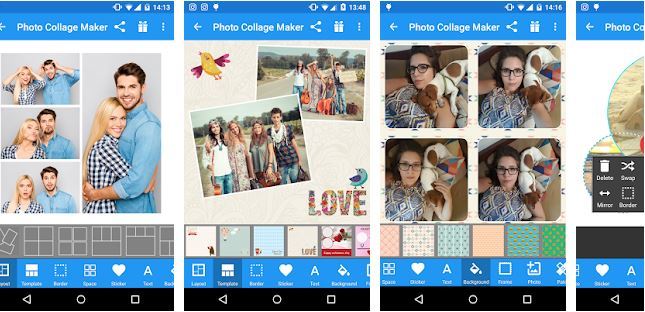
The Photo Collage Maker App helps you select a few of your most beautiful photos and get an awesome photo collage that will not only set you apart from others on social media but also give you some creative ideas.
Its incredible ease of use, highly powerful app, as well as customizable options, allow it to make an entry into the 10 best photo collage maker apps for Android.
This collage creator app, developed by Scoompa, is free for Android 3.0 and above; the current version 12.1 shows its popularity with users.
Top Features:
- Select layers from a range of 100+ predefined layouts, or you can also create your own; also 100+ stickers.
- There are many options for cropping, filtering, high resolution, etc to make the collage look even better
- It doesn’t contain ads, thus offering you an interference-free experience.
- It does not collect any of your private data, thus making it secure to use.
#2. Canva
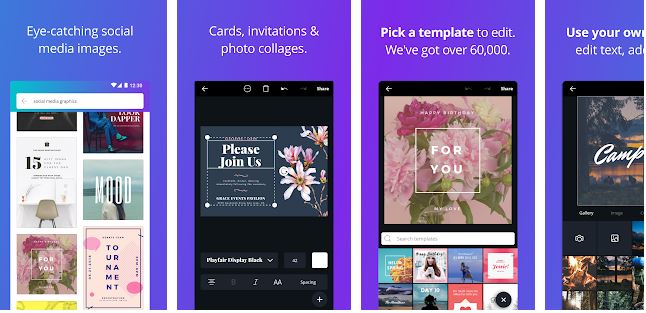
Canva, one of the Best Graphic Design & photo editing tools, is a cloud-based graphic design tool for the Web, Android, and iPhone.
Canva mobile app was launched in 2016. It utilizes a drag-and-drop interface so that you can easily create picture quotes, Business logos, infographics, photo collages, and much more.
It provides its users with grid options in the centre as well as the front. It also gives its users the option of small collages – 4 photos and/or larger collages – 9 photos.
Canva is built by Canva Pty Ltd, the Australian design giant, and it has grown from a simple design tool into the default creative app on most phones. This one occupies very little storage space, only 5.9 Mb, and a Play Store rating of 4.4 tells us its popularity with users.
Top Features:
- The application includes about 100 collage templates and over 120 background options.
- An added photo can be moved, rotated, and zoomed in/out.
- Completed collages can be saved in HD to SD memory card or in favorites for further editing.
- Recently updated with a new background, templates, and also UI update.
- This online collage maker free app also allows the user to make banner and header designs for social media
#3. Pixlr – Free Photo Editor
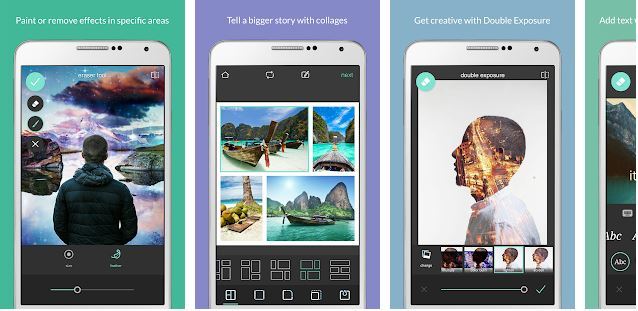
Pixlr helps you have ultimate control of each and every part of the collages that you are making.
Groovy borders along with lightning effects lead to the enhancement of Pixlr’s appeal. Pixlr – another best free online photo editing tool that’s fast and simple, and has enough features, so we can say it’s a leading Photoshop alternative in 2026.
Developed by Autodesk Inc. this photo collage maker app has 50,000,000+ installs. It varies in size according to the device. With a play store rating of 4.4, this app has a medium size of 31Mb.
Top Features:
- Provision of advanced adjustments like resizing, rotating, as well as prefixed four dimensions
- The flexibility provided while resizing the image after editing
- The basic app is free but the premium features are offered from 80 INR and above
- Auto-Fix requires a tap of a button thus you can adjust brightness, contrast, and saturation
#4. Pic Collage- Photo Editor & Card Maker
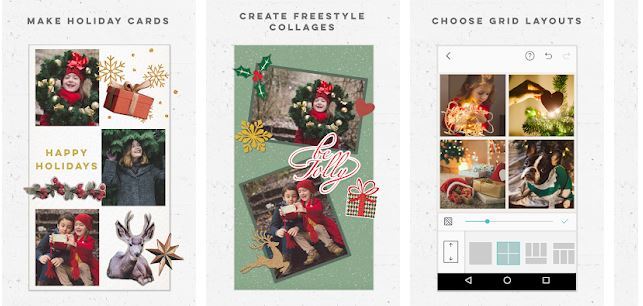
Pic Collage helps you to edit photos make free greeting cards, craft photo collages, and create collages in any festive season is among its top and most noticeable features.
These special features make it an entrant in the 10 best photo collage maker apps.
You get to choose from 100s of layouts and frames, cool effects, and filters with lots of backgrounds and stickers.
This app, developed by Cardinal Blue Software, is another Free photo collage editor app with a Play Store rating of 4.6, thanks to its use of the very popular Aviary (photo editor).
Apart from that, another advantage of using it is it varies with size.
Top Features:
- Instant grid layouts for photos from your gallery or Facebook.
- Hundreds of layouts, templates, and holiday cards to choose from
- This collage maker app helps you document all your special moments in a single frame.
- Stickers for every occasion, resize and filtering option according to the occasion
#5. BeFunky
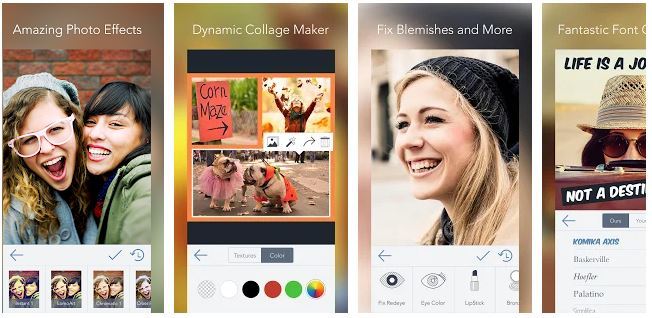
Another best photo editing app in this category enables users to create professional photo quality along with any inbuilt special features.
This picture collage maker app developed by BeFunky INC with a play store rating of 4.5 is a great hit among the users it provides a variety of features, highly popular in all social media accounts requires Android 4.0 and up, but the size occupied is 62Mb.
BeFunky is a free photo collage maker android app that is easy to use and helps you to add awesome layouts, Photo Frames, Editing, Adding text as well, has a feature of Saving & Sharing.
This Photo Editor app is packed with ways to edit your pictures, from amending contrast, brightness, sharpening, or adding a filter and/or border.
Top Features:
- BeFunky collage facility allows it to combine 9 photos in a single frame.
- Have Drag and drop concept for creating unique designs
- Offers 100 magazine-style layouts as well as 180 frames
- Easily create banners, brochures, business cards, posters, flyers and more
- Adjustment option of the aspect ratio of the photos is also present
- Can also collage your photos in the form of a magazine or a themed album
#6. piZap Photo Editor & Collage
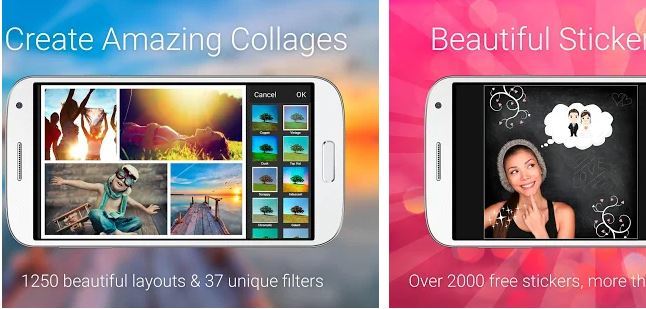
Another photo collage maker for Android is piZap which is a FUN photo editor and collage maker. Fast, easy to use, huge customizing options allow one to use it for any social media app like Facebook, Twitter, Instagram, Snapchat as well as Tumblr.
An awesome image collage maker with the ability to change its size according to the device and 10,000,000+ installs is a must-have in your phone.
Regular updates are also a giveaway in this app.
Top features:
- Unique collage layouts like hearts and mixed shapes
- 70 awesome fonts, glow text, and text bubbles.
- The basic app is free to use, piZap PRO contains premium features in 58.60 INR and above
- No ads, allowing interference-free experience.
#7. Photo Fancie

Creating photo collages becomes an awesome experience with this collage maker app. Different aspect ratios, as well as orientations, really make it a formidable entry into the 10 best photo collage maker apps. It’s free to use but also contains in-app purchases.
This free collage maker app gives more excitement to your experience in making a Photo collage as it is one of the best apps for editing collages and making collages online in 200+ grid layouts with cool photo grid effects.
Photo Fancie allows you to add text to your photos, change their color, size, and font.
Top features:
- The plethora of powerful functions
- Over 200 grid layouts of special design
- Different collage orientations and aspect ratios supported.
- Intuitive user interface
#8. PicsArt Photo Studio
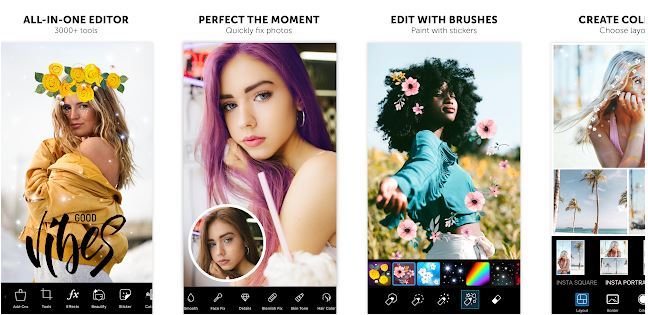
Picsart photo studio collage maker & pic editor app with its 500 million+ installs is one of the best photo collage maker app on mobile. It is a one-stop destination for all the various photo editing features that you might need for your photos.
This photo editing app includes hundreds of photo editing features, customizable filters, text options, stickers, borders, frames, and a camera.
You can edit the images in your designs with the touch of a button, there are over 100 Free templates to pick from, and background textures add interest.
With a 4.5 rating, this collage maker app you can easily make professional collages with absolute ease especially using AI-powered effects.
The size it occupies is also less, only 8.7Mb.
Top features:
- Many powerful yet effective functions that are provided by the PicsArt Photo Studio
- Over 300 grid layouts of special design, 100s fonts for adding texts to your pictures
- Like others, this also has an orientation for different types of collages that might be required by the user.
- A very Intuitive user interface, free basic app, and premium features also available from 20 INR and above
#9. Pic Frame- Photo Collage Grid

This collage maker photo editor app allows the user to stitch any photos together with absolute ease with this photo collage maker by the Pic Frame app.
Though it has a lower rating compared to others it provides a unique way to collage photos into a single frame with absolute ease.
Pic Frame supports social sharing to popular social media networks like Facebook, Twitter, and Tumblr.
Top features:
- 16 kinds of layout thus providing you so many options while posting on Facebook, Twitter, Instagram, Snapchat, etc.
- 4 ratios for layout: 1:1, 2:3, 3:2, 3:4 and 4:3
- Adjust the frame according to the requirements of the photo you are creating either small or large.
- Borders of collage can be colored or can be rounded depending on use and preference of the user.
#10. Photo Collage Editor & Collage Maker-Quick Grid

Quick Grid is one of the best collage maker for you to create amazing photo layouts, it also enables users to collage multiple photos with myriad layout frames and photo grids thus making members of the 10 best photo collage maker apps for android.
This collage maker photo editor app holds special importance among the users due to its easy to use interface as is evident from the 10,000,000+ million installs. Requires much more storage space(43Mb) than others in the list so that should be kept in mind.
Top features:
- Hundreds of layouts and frames to choose from
- Powerful photo collage maker to create blur grid using your photos with layouts and frames
- Give your collage amazing effects and filters
- Clip your photos by just cutting the areas with your fingers
- Collage your photos like a magazine, a poster, or a themed album for Instagram.
11. PhotoGrid — Most Powerful Dedicated Collage App
The biggest name missing from our old list. PhotoGrid is a collage specialist with a claimed 20,000+ templates, 5,000 stickers, and 2,000 backgrounds, supporting up to 16 photos per collage plus video collages and even live-wallpaper collages. Its 2026 edge is AI: auto-generated layout previews the moment you select photos, AI sticker generation, and built-in tools like background removal and image upscaling.
Testing note: Tap the big Grid button, select photos, and it instantly previews multiple layouts — the fastest photo-to-collage flow of any app I tested.
Pros: Largest template library in the category; video + photo in one collage; AI extras; HD export.
Cons: Pro subscription (~$33.99/year) gates some curated AI templates; the app pushes the 3-day trial hard [VERIFY current free-tier watermark policy].
12. Adobe Express — Cleanest Professional Look
Adobe’s free design app brings Photoshop pedigree without the learning curve. Its collage templates lean minimal and professional — ideal if your collage is going on a business page rather than a family WhatsApp group. Exports are watermark-free on the free plan.
Pros: No watermark; polished, non-gimmicky templates; Adobe font library; brand-kit features. Cons: Fewer playful stickers/effects; heavier app; some features need an Adobe account login.
How to Choose a Collage App (The 2026 Checklist)
Start with the watermark question. If you refuse to pay, shortlist Canva, Adobe Express, Google Photos, and Live Collage — the confirmed watermark-free free tiers on this list [VERIFY at publish].
Match app to output. WhatsApp DP or quick share → Google Photos. Festival card → Pic Collage or Collageable. Instagram aesthetic → Canva or PhotoGrid. Video collage → PhotoGrid or Live Collage. Business/poster → BeFunky or Adobe Express.
Check the export quality. Free tiers sometimes cap resolution; look for “HD export” before designing something you’ll print.
Don’t fear the subscription pop-up. Nearly every app opens with a Pro screen — tap the X and the free tier keeps working. Never judge an app by its paywall splash.
Count the photos. Most apps cap at 9–16 photos per collage; PhotoGrid and Live Collage handle 16.
Photo Collage Trends in 2026
AI does the layout now. PhotoGrid and PicsArt auto-generate collage previews from your selected photos and keep adding AI sticker/background generation — template browsing is becoming optional.
Video collages are the new default. Reels-era sharing means grids that mix stills, videos, and GIFs — half this list now supports it.
Subscription fatigue is real. The loudest demand in every forum thread is “no watermark, no subscription” — which is why this article leads with a free-plan reality check instead of feature counts.
Collages as wallpapers. Live-wallpaper collage templates (PhotoGrid) turn your photo grid into a moving lock screen — a genuinely new use case since our last update.
Conclusion:-
We have enlisted all the Photo collage maker apps in our know-how. If you have any other suggestions, go on and write it down below in the comments section.
We’ll be happy to learn about some more. Besides, if you have any questions about the above-listed best app to create photo collages online, we would be more than happy to entertain any further queries.
Which is the best photo collage maker app for Android?
Canva is the best overall in 2026 thanks to a genuinely free, watermark-free tier and huge template library. PhotoGrid is the most powerful dedicated collage app, and Google Photos is the best zero-cost option already on your phone.
Which collage app has no watermark in the free version?
Canva, Adobe Express, Google Photos, and Live Collage export without watermarks on their free tiers. Pic Collage and piZap add watermarks until you upgrade. Policies change with updates, so confirm in-app before a big project.
What are the best alternatives to Pic Collage?
PhotoGrid and Collageable are the closest Pic Collage alternatives, offering similar themed templates with larger libraries. For freestyle scrapbook-style editing specifically, PicsArt’s collage mode is the strongest substitute.
What are the best apps like PhotoGrid?
Collageable, Live Collage, and MOLDIV are the closest apps like PhotoGrid for template-driven collages, while Canva matches it on design breadth with a friendlier free plan
Is there a good collage app without a subscription?
Yes — Google Photos is completely free with no subscription at all, and Canva’s free tier needs no payment for standard collage work. Most other apps work free with ads, with optional Pro plans around $24–$80/year.
How do I make a photo collage on Android for free?
Open Google Photos → Library → Utilities → Create Collage (up to 6 photos), or install Canva and search “photo collage” templates. Pick a layout, drop in photos, adjust spacing, and export — no payment needed either way.
Which collage app is best for Instagram?
Canva and PhotoGrid both offer preset Instagram post and Story sizes. PhotoGrid adds nearly 40 social-media resize presets, making it the fastest for multi-platform sharing.
Can I make a video collage on Android?
Yes — PhotoGrid, Live Collage, Collageable, and Pic Collage all support mixing videos with photos. Live Collage additionally exports as GIF, and PhotoGrid can turn video collages into live wallpapers.